Developer Tools
Sketmi: A Free Text-to-Diagram Tool for Flow and Architecture Diagrams
Sketmi turns a few lines of text into flow and architecture diagrams with live preview. Free, no sign-up, with share links and PNG or SVG export.
CodeHype6 min read
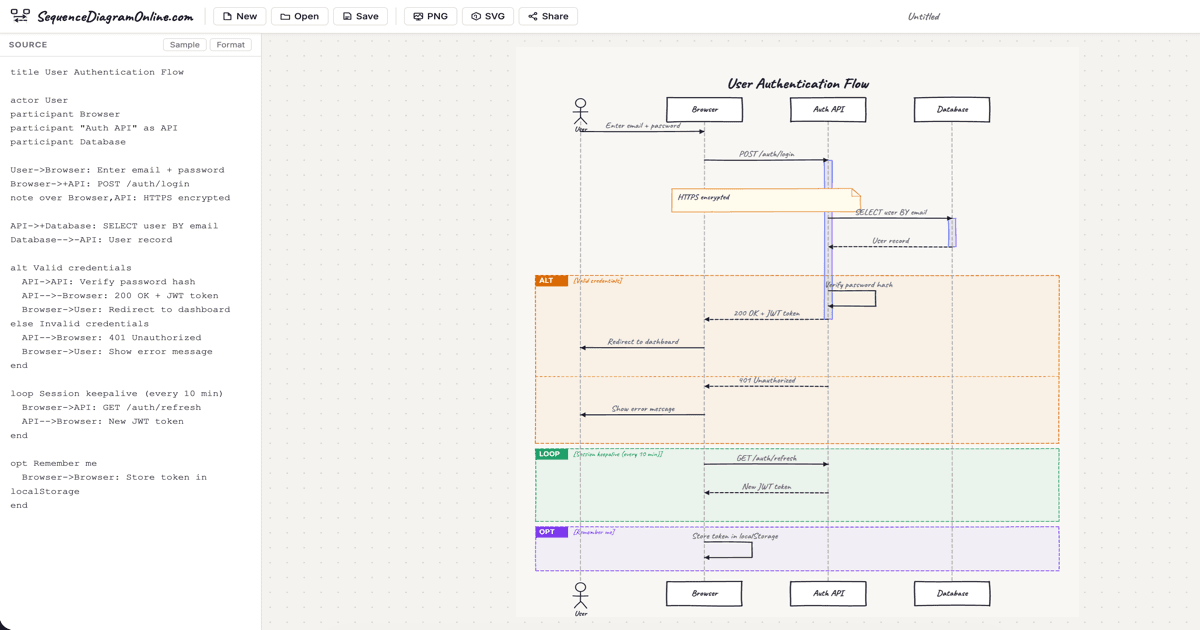
Diagrams are one of the fastest ways to explain how a system works, yet drawing them is often slow. Dragging boxes, lining up arrows and redoing the layout after every change can take longer than the thinking behind the diagram.
Sketmi takes a different approach. You type a few lines describing what connects to what, and the diagram draws itself as you type. It's free, requires no sign-up, and lets you share a diagram with a link or export it as an image. You can try it straight away on Sketmi's official website.
This article explains what Sketmi does, how its text syntax works, and when it is (and isn't) the right tool.
What Is Sketmi?
Sketmi is a browser-based text-to-diagram editor for flow-style diagrams: boxes connected by arrows. You write the flow in a simple plain-text syntax on one side, and a live diagram appears on the other.
It is aimed at developers, product managers and other technical people who need to sketch things like:
- System and microservice architectures
- Signup, login or checkout flows
- Incident blast-radius diagrams
- Design proposals and process documentation
Sketmi is not an AI tool. It works from a defined text syntax, so the same text always produces the same diagram. You can find it on CodeHype as the Sketmi.com listing.
Key Features of Sketmi
Live Preview as You Type
The diagram updates while you type, with no build step or page reload. Nodes are placed automatically using a layered, left-to-right layout that reduces crossing arrows, so you never have to position boxes by hand.
Two Visual Styles: Sketch and Clean
You can switch between two looks at any time:
- Sketch: a hand-drawn style suited to whiteboard-style explanations and informal docs
- Clean: a tidier, corporate style for presentations and formal documentation
Node Shapes
Boxes are the default, and a "type" declaration changes a node's shape:
- database draws a cylinder (aliases: db, storage)
- actor draws a stick figure
- decision draws a diamond (alias: diamond)
- origin draws an entry-point circle (alias: circle)
- group draws a labelled box around several nodes
Share Links and Embeds
When you share a diagram, the entire diagram is encoded in the link itself, and the recipient doesn't need an account to open it. The share dialog also provides embed code that shows a live, read-only canvas on your own website.
Export and Copy
You can copy the diagram image to your clipboard or download it as:
- A PNG with a background
- A transparent PNG
- An SVG
Note that, according to Sketmi, the SVG export wraps a high-resolution image, so it isn't a fully editable vector drawing.
Templates
Sketmi's examples page includes 8 ready-made diagrams you can open in the editor or copy, including login with JWT, a microservices order flow, Stripe payments, OAuth 2.0, presigned S3 file uploads, user registration and WebSocket real-time notifications.
How Sketmi's Text Syntax Works
The syntax is short enough to learn in a couple of minutes. Each line describes one connection or a chain of connections:
- A -> B: label draws an arrow from A to B with an optional label.
- A -> B -> C: label draws a chain, with the label applied to every arrow.
- A <-> B: sync draws a two-way arrow.
- "goes to" can be written instead of the arrow symbol.
- title followed by text adds a diagram title.
- type database Orders DB (or actor, decision, origin, group) sets a node's shape.
- Lines starting with a hash or two slashes are comments.
Quotes around multi-word names are optional, declarations can appear anywhere, and repeating the same pair with different labels creates parallel arrows.
For example, Sketmi's guide shows an e-commerce order flow written in five lines: a title, a declaration making "Customer" an actor, a declaration making "Orders DB" a database, a chain from Customer to Web App to API Gateway labelled "place order", and an arrow from Order Service to Orders DB labelled "save order".
Your work saves automatically in your browser, and a Recent Diagrams list keeps track of what you've made. The file menu also lets you save and open diagram files.
Use Cases
Architecture Sketches in Pull Requests and Docs
Developers can describe a service architecture in a few lines and paste a share link or PNG into a pull request, design doc or README.
Explaining User Flows
Product managers can sketch a signup or checkout flow with decision diamonds and share the link in a planning discussion.
Incident Reviews
During a post-incident review, a quick flow showing which services depended on the failed component helps everyone see the blast radius.
Embedding Diagrams in Websites
Writers and educators can embed a live, read-only diagram in a blog post or documentation page.
Pricing
Sketmi is completely free. Its FAQ states that there is no paid tier, no locked export and no watermark, and no account is required.
Advantages and Limitations
Advantages
- Very fast. Typing a flow is quicker than dragging and aligning shapes.
- Free and account-free. All features, including export, are available without signing up.
- Easy sharing. Links carry the whole diagram, and embed code is available.
- Automatic layout. No manual positioning or alignment.
- Two styles for informal and formal contexts.
Limitations
- Flow diagrams only. Sketmi focuses on boxes and arrows and says it doesn't support swimlanes or different connector types.
- Best for smaller diagrams. There is no hard limit, but the guide says the layout works best with fewer than about fifteen nodes.
- Browser-based storage. Work is saved in your browser, so you'll want to save a file or keep the share link if you switch devices.
- SVG isn't pure vector. The SVG export wraps a high-resolution image.
- Keyboard recommended. It works on mobile, but typing is more comfortable with a keyboard.
Who Should Use Sketmi?
Sketmi is ideal for developers, technical writers, product managers and students who want a quick, shareable diagram without learning a heavy diagramming tool. If you need complex diagrams with swimlanes, many connector types or precise manual layout, a full diagramming application will suit you better.
For more tools for developers and makers, browse the CodeHype explore page.
Final Verdict
Sketmi does one job well: it turns a few lines of text into a clean, automatically laid-out flow diagram, for free and without an account. Live preview, two visual styles, share links and image export cover what most people need for architecture sketches and process docs.
Its focus on simple flows is both its strength and its main limit. For small and medium diagrams it is hard to beat for speed. To try it, open the official Sketmi website and type your first arrow.
Frequently Asked Questions
Is Sketmi free?
Yes. Sketmi is completely free, with no paid tier, no locked export and no watermark.
Do I need an account to use Sketmi?
No. You can create, share and export diagrams without signing up.
Is Sketmi an AI diagram generator?
No. Sketmi uses a simple text syntax rather than AI. You describe connections such as "A -> B: label" and it draws the diagram from that text.
What can I export from Sketmi?
You can copy the image to your clipboard or download a PNG with a background, a transparent PNG or an SVG. The SVG wraps a high-resolution image.
How do I share a Sketmi diagram?
Use the share option to get a link that contains the whole diagram, which anyone can open without an account. You can also get embed code for a read-only diagram on your website.
How large can a Sketmi diagram be?
There is no hard limit, but Sketmi's guide says the automatic layout works best with fewer than about fifteen nodes.