AI Tools
vox.style: AI Video Maker for Product Stories, Ads and Explainers
Discover vox.style, an AI video maker that turns ideas, scripts, and product URLs into narrated, animated videos for ads, product stories, explainers, and documentaries.
CodeHype7 min read
Creating a good video usually takes more than generating a few images and putting them together.
You need a story, script, visuals, narration, pacing, animation, and a format that works for the platform where the video will be published.
vox.style takes an AI-first approach to this process. It turns an idea, script, or public product URL into a narrated and animated video story.
The platform is designed for founders, marketers, and creators who want to create product stories, video ads, explainers, and documentaries without building the entire production workflow manually.
What Is vox.style?
vox.style is an AI video maker that turns ideas and product information into structured video stories.
You can start with:
- An idea
- Your own script
- A public product URL
From there, the workflow lets you shape the narrative, select a narration voice, define the visual direction, review the scene artwork, and then bring everything together through animation, editorial collage, narration, and motion.
The finished project can be exported as an MP4 video along with separate captions.
This makes vox.style an AI video creation tool focused not only on generating visuals, but on building a complete story around them.
How vox.style Works
The creation workflow is built around three main stages.
1. Shape the Narrative
The first step is giving vox.style the context for your video.
You can provide an idea, write your own script, or enter a public product URL.
For a product video, the URL can provide the starting context for the story.
You can then shape the narrative before moving into production.
This is useful for founders and marketers who already know what they want to communicate but do not want to start every video from a blank editing timeline.
2. Review the Images
Once the narrative is shaped, vox.style creates production imagery for the different scenes.
You can review the scene artwork before animation.
This is an important part of the workflow because the visuals can be checked before the final video is assembled.
Instead of waiting until the entire video is finished to discover that a scene does not fit the story, you can review the production direction earlier.
3. Animate Your Story
After reviewing the visuals, the story is brought together with narration, motion, and editorial-style visuals.
The result is a narrated video designed around the story rather than simply a collection of generated images.
Turn a Product URL Into a Video
One of the more interesting features of vox.style is the ability to start with a public product URL.
For founders and SaaS companies, creating marketing videos can involve explaining a product, its features, its use case, and why someone should care.
A product URL can provide the initial context for the video.
From there, vox.style can help turn that context into a structured visual story.
This makes the platform relevant for:
- SaaS product launches
- Product explainers
- Startup marketing
- Product advertisements
- Feature announcements
- Landing page videos
- Social media content
Instead of creating every part of the production process separately, the product information becomes the starting point for the video.
AI Video Ads for Products
Product advertising is one of the use cases supported by vox.style.
A good product ad needs to communicate what the product does while also making the viewer want to continue watching.
vox.style combines narration, visual storytelling, collage, and animation to create this type of content.
For a founder launching a new SaaS product, for example, a video could explain the problem, introduce the product, demonstrate the concept visually, and finish with the key message the audience should remember.
The same workflow can also be adapted for other product-focused stories.
AI Explainer Videos
Explainer videos are another natural use case for the platform.
Some products are difficult to explain with a simple screenshot or a few lines of text.
An AI explainer video can combine narration and visual sequences to make the concept easier to understand.
vox.style allows users to shape the narrative before the animation stage, giving them control over how the story develops.
This can be useful for:
- Software products
- New technologies
- Digital services
- Startup concepts
- Product features
- Educational ideas
Narrated AI Videos
Narration is a central part of the vox.style workflow.
Users can choose a narration voice as they shape the production.
This allows the finished video to communicate information through spoken storytelling alongside its visual elements.
The combination of narration, imagery, and motion makes the platform different from tools that focus primarily on generating individual AI images or short clips.
The objective is to create a complete story.
Editorial Collage and Visual Storytelling
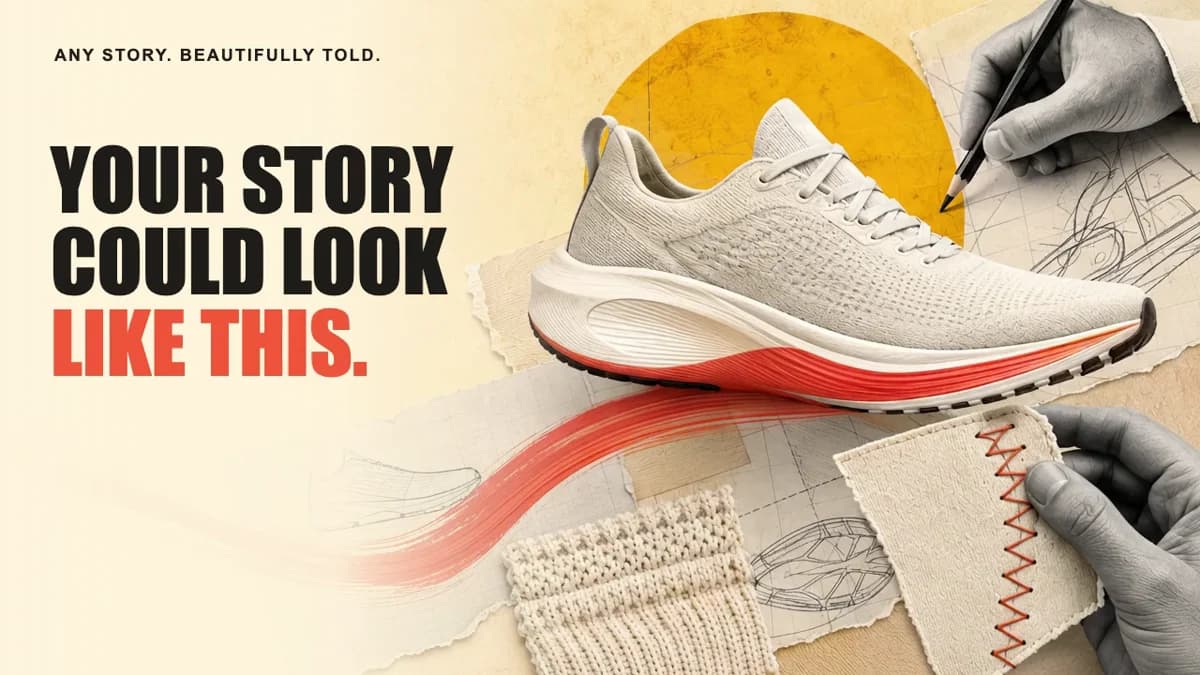
The visual style of vox.style uses editorial collage, bold imagery, narration, and motion.
This gives the videos a more designed and structured visual identity.
The approach can work particularly well for content where the goal is to explain an idea or tell a story rather than simply display a product interface.
The example creative direction shown by vox.style includes product stories, digital product explainers, and personal documentaries.
Create Different Types of Stories
vox.style is designed for more than one type of video.
The platform highlights three broad categories:
Product Stories and Ads
Product stories can communicate the details and value of a product through a combination of visuals, narration, and motion.
This can be useful for startups, SaaS companies, and brands launching new products.
Digital Products and Explainers
Explainer videos can turn a technical or abstract concept into a visual narrative.
For software companies, this can provide another way to communicate what a product does beyond traditional screenshots and text.
Personal Stories and Documentaries
The platform can also be used for personal stories and documentary-style projects.
This expands the use case beyond commercial content and allows creators to work with narrative-driven material.
Choose the Video Format
The creation interface lets users select the format of their video.
The examples include:
- Reels, 9:16
- Landscape, 16:9
- Square, 1:1
Users can also choose other aspect ratios through the creation interface.
This makes the platform suitable for different publishing environments, including vertical social content and traditional landscape videos.
Control Duration and Language
The video creation interface also allows users to define the duration and language of the project.
This gives creators more control over how the final story is structured.
If the narration becomes longer than the original target duration, the video can extend automatically to accommodate the resulting narration.
This can help preserve the complete story rather than forcing a longer script into an artificially short timeline.
Review Before Animation
One of the key ideas behind vox.style is giving creators an opportunity to review the production before the final animation.
The workflow separates narrative development and visual review from animation.
You can:
- Provide the context
- Shape the script
- Choose the voice and direction
- Review production images
- Animate the final story
This gives creators more control over the final result than a completely automated process where the first output is also the final output.
Reuse Existing Brand Information
The creation interface also includes an option to reuse information and assets from an existing project.
This can be useful for brands that create multiple videos and want to maintain consistency between projects.
Instead of starting from scratch every time, existing brand information and assets can be reused when creating another video.
For teams producing multiple product videos or marketing campaigns, this can reduce repetitive setup work.
Export Videos for Distribution
Once the production is complete, vox.style allows users to export the finished video as an MP4.
Separate captions are also available.
This makes the output suitable for sharing across different channels and allows creators to use the video outside the vox.style interface.
For marketers, this can be useful when the same story needs to be distributed across multiple platforms.
Who Is vox.style For?
vox.style is designed for people who need to turn ideas into polished video stories.
It can be particularly useful for:
- SaaS founders
- Startup founders
- Marketers
- Content creators
- Product teams
- Agencies
- Brand teams
- Documentary creators
- Social media teams
For founders, the ability to start from a public product URL can simplify the process of creating a product story.
For marketers, the platform provides a workflow for producing ads and explainers.
For creators, it offers a way to combine narration, visual direction, collage, and animation into a single production.
vox.style for SaaS Marketing
AI SaaS companies increasingly need more than a landing page to communicate what their products do.
Video can demonstrate a product's concept quickly and give potential customers another way to understand the value proposition.
vox.style can be used to create:
- SaaS product videos
- Feature explainers
- Product launch videos
- Startup advertisements
- Social media videos
- Product stories
- Founder-led narratives
Starting with a product URL also makes the workflow relevant for teams that already have their product information published online.
Why AI Video Creation Is Useful for Founders
For an early-stage founder, video production can be expensive and time-consuming.
Traditional production may involve a scriptwriter, designer, voice actor, video editor, animator, and other specialists.
An AI video creation workflow can bring several of these stages into a single tool.
vox.style does not simply focus on generating an isolated video clip. Its workflow covers the story, script, voice, visual direction, scene artwork, and animation.
That makes it useful for founders who want to experiment with different ways of presenting their products.
Final Thoughts
vox.style is an AI video maker built around storytelling.
Instead of starting with a blank video editor, creators can provide an idea, script, or public product URL and then shape the story from there.
The platform combines narrative development, narration, editorial collage, generated imagery, and animation to create videos for product stories, advertisements, explainers, and documentaries.
Its review-before-animation workflow also gives creators an opportunity to shape the visual direction before the final production is completed.
For founders and marketers looking for an AI SaaS tool to turn product ideas into engaging video content, vox.style offers a focused workflow from initial concept to finished MP4.
Frequently Asked Questions
What is vox.style?
vox.style is an AI video maker that turns ideas, scripts, and public product URLs into narrated and animated video stories.
What can I create with vox.style?
You can create video ads, product stories, explainer videos, and documentaries.
Can vox.style create videos from a product URL?
Yes. You can start a project with a public product URL and use it as the initial context for the video.
Can I use my own script?
Yes. vox.style supports starting with your own script as well as starting with an idea or public product URL.
Can I choose the narration voice?
Yes. The workflow allows you to choose a narration voice as part of shaping the video.
Can I review the visuals before the video is animated?
Yes. vox.style allows you to review the scene artwork before animation.
What video formats does vox.style support?
The creation interface includes formats such as 9:16 for Reels, 16:9 landscape, and 1:1 square videos, along with other aspect ratio options.
Can I create AI videos for social media?
Yes. The available vertical, landscape, and square formats make vox.style suitable for creating content for different distribution channels.
Can vox.style create product videos?
Yes. Product stories and ads are one of the primary use cases highlighted by the platform.
Can vox.style create explainer videos?
Yes. The platform is designed to create narrated and animated explainers for digital products and ideas.
Does vox.style export videos?
Yes. Finished projects can be exported as MP4 videos with separate captions.
Is vox.style free?
vox.style is a paid product. Current plans and pricing are available on the official website.
Who is vox.style built for?
The platform is designed for founders, marketers, and creators who want to turn ideas, products, and stories into narrated visual content.