AI Tools
DokuTrak: AI Document Collection Software That Chases Missing Client Files
Discover DokuTrak, AI-powered document collection software that automatically follows up with clients, flags wrong or incomplete files, and helps firms collect documents without client accounts.
CodeHype6 min read
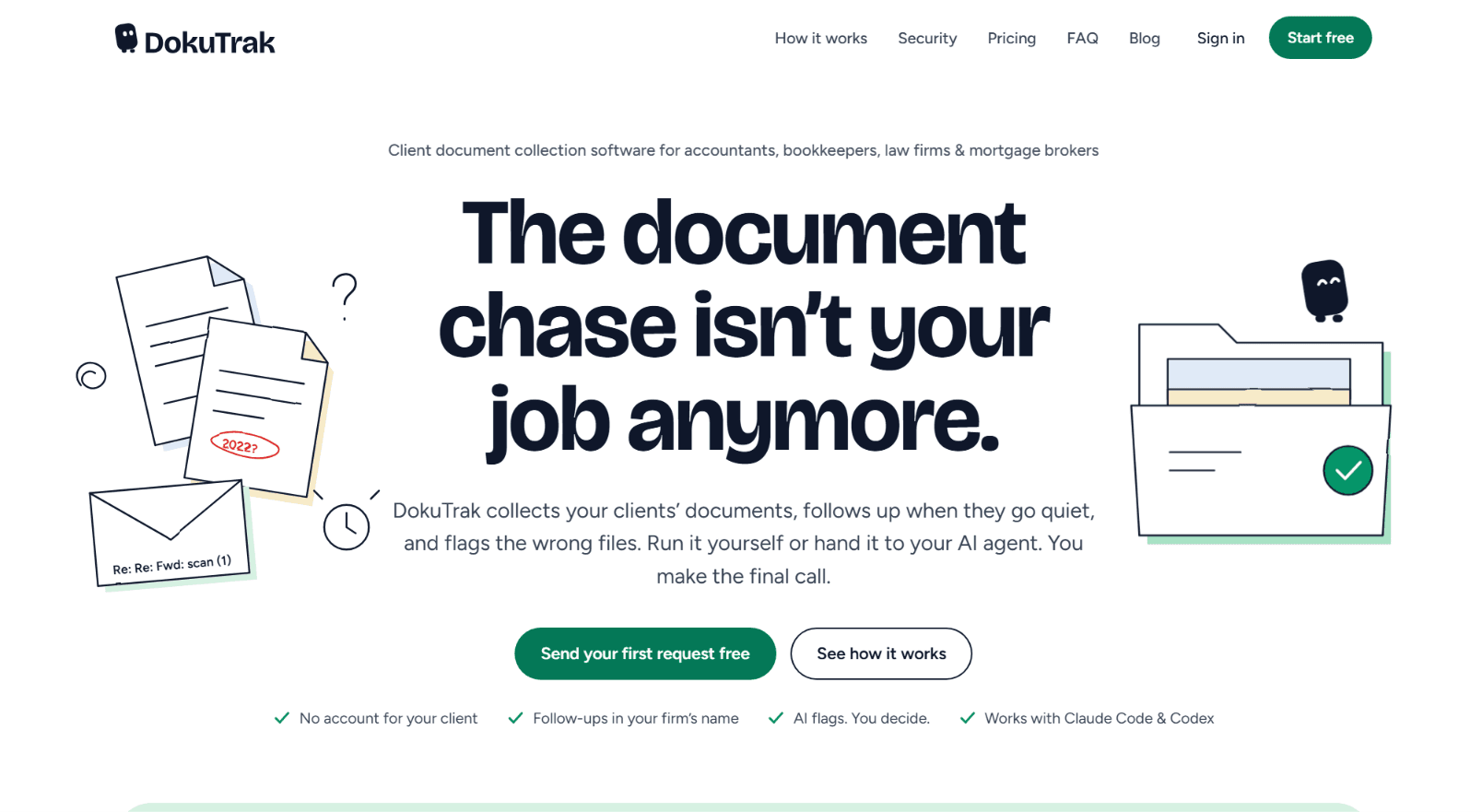
For accountants, bookkeepers, law firms, and mortgage brokers, collecting documents from clients can become one of the most repetitive parts of the job.
The work itself may be straightforward. The problem is getting every required document before the actual work can begin.
A client sends the wrong year. Another sends only page one of a statement. Someone uploads a blurry photo. Another client forgets to send anything at all, leaving the firm to send another reminder.
DokuTrak is built specifically around this problem. It is client document collection software that lets firms send one secure request link, collect documents without requiring clients to create accounts, automatically follow up when clients go quiet, and flag potentially incorrect or incomplete files for human review.
The central idea is simple. The firm makes the request, DokuTrak handles the chase, and the professional makes the final decision about every document.
DokuTrak: Client Document Collection Software, No Login lets firms explore how its document collection workflow works.
What Is DokuTrak?
DokuTrak is an AI-powered document collection platform for professional firms that need to collect files from clients.
It is designed for accountants, bookkeepers, law firms, mortgage brokers, and similar businesses where completing a job often depends on receiving a specific set of documents from a client.
Instead of managing the process through long email threads, shared folders, and manual reminders, a firm can create one document request and send the client a secure upload link.
The client does not need to create an account. They open the link, upload the requested documents, and can see what is still missing.
DokuTrak then tracks the request, handles configured follow-ups, and checks incoming files for potential issues.
Importantly, the AI does not approve documents. It flags files that may be wrong or incomplete, while the professional remains responsible for reviewing and accepting each file.
Why Client Document Collection Takes So Much Time
Document collection can look like a small administrative task until it is repeated across dozens or hundreds of clients.
A typical process might involve creating a checklist, emailing the client, waiting for a response, checking what arrived, identifying missing files, sending another email, checking the replacement, and repeating the process until the file is complete.
Even when every individual action takes only a few minutes, the repeated follow-up can consume a significant amount of time.
DokuTrak is designed to automate this specific part of the workflow.
Its focus is not to replace the professional doing the accounting, legal, or financial work. Instead, it handles the repetitive process of requesting documents, following up, tracking progress, and identifying obvious issues before the professional starts reviewing the complete file.
How DokuTrak Works
The DokuTrak workflow is built around three main steps:
1. Ask for the Documents
The firm chooses the documents it needs and sends the client one secure upload link.
The client can open the request from their phone and upload the requested files without creating an account or learning a new client portal.
This makes the first step of client document collection relatively simple.
2. Let the Follow-Ups Happen
If a client does not respond, DokuTrak can send follow-ups under the firm's name.
The firm controls the follow-up limit, while replies come back to the firm.
Instead of manually remembering which clients still need documents, the system keeps track of the outstanding request.
This is particularly relevant for firms searching for document collection software with automated follow-ups.
3. Review the File
When documents arrive, DokuTrak can flag potential problems such as an incorrect year, missing pages, or an unreadable scan.
The professional then decides what happens next.
If a document is acceptable, it can be reviewed as part of the file. If something is wrong, the client can be asked for a replacement.
The important distinction is that DokuTrak flags potential issues but does not approve client documents automatically.
AI Document Collection Without Automatic Approval
AI can be useful in document collection, but professional firms also need control over what ultimately becomes part of a client file.
DokuTrak takes a human-review approach.
The AI checks incoming files for likely issues and flags them. The professional makes the final call.
For example, a client might be asked for a 2024 tax document but upload a document from another year. DokuTrak can flag the potential mismatch rather than silently accepting the file.
Similarly, an incomplete or unreadable scan can be identified for review.
This creates a workflow where AI assists with the first check while the professional remains responsible for the final decision.
For firms looking for AI document collection software with human approval, this distinction is important.
One Secure Link for Client Uploads
One of DokuTrak's main workflow decisions is that clients do not need another account.
The firm sends a secure request link. The client opens it, sees what documents are required, and uploads the files.
There is no client password to create, remember, or reset.
This can reduce friction during client onboarding because the client does not need to learn another dashboard simply to send a few documents.
For professional firms that already use accounting, legal, CRM, or practice management software, DokuTrak positions itself as a document collection layer rather than requiring the entire client relationship to move into another platform.
Automated Follow-Ups for Missing Documents
Following up with clients is one of the core problems DokuTrak is designed to address.
A document request can remain open while the system tracks what has been received and what is still missing.
When a client goes quiet, configured follow-ups can be sent under the firm's name.
This means the firm does not have to repeatedly write messages such as "just following up" for every outstanding document.
The firm remains in control of how many follow-ups can be sent, and client replies come back to the firm.
For accountants and bookkeepers managing large numbers of client files, this type of document request automation can help centralize a process that would otherwise happen across multiple email threads.
Know What Is Missing
DokuTrak provides progress tracking for document requests.
Instead of reconstructing the status of a client file by searching through emails and attachments, the firm can see the documents that have been requested and what has been received.
This creates a clearer view of the collection process.
For example, if a client needs a bank statement, tax return, and photo ID, the request can track those individual requirements instead of simply showing that the client has uploaded "some documents."
This is particularly useful when a complete file requires several different documents.
Flag Wrong, Incomplete, or Unreadable Files
Receiving a file is not necessarily the same as receiving the right file.
A client may upload the wrong year, omit pages from a document, or provide an image that cannot be read clearly.
DokuTrak's AI document check is designed to flag these types of potential issues at upload.
The product specifically describes examples such as wrong document type, wrong year, bad scans, and missing pages.
The purpose is to surface potential problems before the professional begins working through the file.
The final decision remains with the human reviewer.
DokuTrak for Accountants
Accounting firms often depend on collecting a large number of client documents before work can begin.
Tax returns, bank statements, identification documents, financial records, receipts, and other files can all become part of the collection process.
DokuTrak is designed to handle the administrative layer around these requests.
An accountant can create a checklist, send one upload link, allow the client to submit documents without an account, and let the platform handle follow-ups.
When documents arrive, the AI can flag potential issues so the accountant can focus on reviewing the file rather than discovering obvious problems after opening every attachment.
This makes DokuTrak relevant to firms looking for automated document collection for accountants.
DokuTrak for Bookkeepers
Bookkeepers also regularly depend on clients providing complete financial records.
A recurring bookkeeping relationship may require bank statements, receipts, invoices, payroll information, and other records on a regular basis.
The repetitive nature of these requests makes automation particularly relevant.
DokuTrak provides a way to send structured requests and track what has arrived, while automated follow-ups can reduce the amount of manual chasing required from the bookkeeping team.
The result is a workflow focused on getting the required documents into the file before the bookkeeping work begins.
DokuTrak for Law Firms
Law firms can also face significant document collection requirements during client onboarding and case preparation.
Clients may need to provide contracts, identification, financial records, evidence, correspondence, or other case-related documents.
DokuTrak's secure upload workflow can give clients a straightforward way to provide these files without creating another account.
The firm's team can then track the request and review flagged files before incorporating them into their work.
For law firms looking for document request software, the focus on structured requests, follow-ups, and human review can be useful for reducing repetitive collection work.
DokuTrak for Mortgage Brokers
Mortgage applications often involve collecting multiple documents from clients, and missing or outdated documents can delay the process.
DokuTrak can be used to create a document request and provide the client with one secure upload link.
The client can upload the required files without an account, while the platform tracks the request and can flag potential issues for review.
For mortgage professionals searching for secure client document collection software, this workflow provides a way to organize document requests without requiring clients to navigate a separate account-based portal.
Connect DokuTrak to Claude Code and Codex
DokuTrak also supports AI agent workflows.
The platform can connect with Claude Code and Codex through its open-source MCP connector, allowing an AI agent to interact with DokuTrak through supported actions.
After connecting an agent, it can request documents, check the status of a file, and ask a client again for missing or flagged documents.
However, the permissions are deliberately limited.
The connected agent cannot accept a document, read email, or delete anything.
This creates a clear separation between administrative actions that an AI agent can perform and decisions that remain under human control.
For teams building AI-powered workflows, this makes DokuTrak more than traditional client document collection software.
Human Control Remains Central
The AI features in DokuTrak are designed to assist rather than make final decisions.
This is especially relevant when documents are part of professional workflows.
DokuTrak can flag a potential problem, but the professional decides whether the document is acceptable.
The system does not automatically approve a client's file.
This approach gives firms the convenience of AI-assisted document checking while maintaining a human review step before documents become part of the completed file.
Security and Client Privacy
DokuTrak describes its document collection workflow as using encrypted transmission over TLS and encrypted object storage for files at rest.
Requests are scoped so that a client accesses their own collection through their individual secure link.
Clients do not need to create passwords or accounts to upload documents.
For professional firms collecting sensitive client information, these controls are relevant when evaluating a secure client document collection platform.
Firms should still evaluate the product's current security documentation and requirements against their own regulatory, contractual, and client obligations before adopting any document management service.
DokuTrak as a Client Portal Alternative
DokuTrak explicitly positions itself differently from a traditional client portal.
A traditional portal generally gives clients an account, dashboard, or persistent workspace.
DokuTrak instead provides a secure link for a specific document request. The client uploads the requested files without creating an account.
This makes the product particularly focused on document collection rather than broader client relationship management.
For firms that already use platforms such as accounting, legal, or practice management suites, this approach can allow DokuTrak to address a specific workflow without requiring the firm to replace its existing software.
DokuTrak Pricing
DokuTrak currently lists plans starting from $79 per month.
The product provides a first client request for free and offers a 14-day trial with no charge on the trial day.
The available plans include Solo, Team, and Agency options.
The company also provides a seven-day clean-file workflow designed to let firms test the product using a real client and real document checklist.
The first request is free and no credit card is required to start.
Because pricing and plan details can change, firms should check DokuTrak's current pricing page before subscribing.
A Practical Approach to Client Document Collection
Document collection is rarely the reason an accountant, lawyer, bookkeeper, or mortgage broker started their business.
Yet it can consume a significant amount of administrative time.
DokuTrak focuses on that specific problem by combining secure client uploads, automated follow-ups, document status tracking, and AI-assisted file checking.
The platform does not attempt to replace the professional's judgment. Instead, it handles repetitive collection work and surfaces potential problems so the professional can decide what to do next.
For firms searching for client document collection software with automated follow-ups and AI document checking, DokuTrak offers a focused workflow around one of the most repetitive parts of professional services.
DokuTrak: Client Document Collection Software, No Login to explore the document collection workflow and start with a free client request.
Frequently Asked Questions
What is DokuTrak?
DokuTrak is client document collection software for accountants, bookkeepers, law firms, mortgage brokers, and other professional firms. It helps firms request documents, collect them through secure links, follow up on missing files, and identify potential problems.
Do clients need to create an account?
No. Clients receive a secure upload link and can submit their documents without creating an account.
Does DokuTrak automatically approve documents?
No. DokuTrak flags potential issues such as incorrect or incomplete files, but the professional reviews every document and makes the final decision.
Can DokuTrak automatically follow up with clients?
Yes. DokuTrak can send follow-ups when clients have not completed their document requests. The firm controls the follow-up limit, and messages are sent under the firm's name.
What problems can DokuTrak flag?
The product describes potential issues including wrong document types, incorrect years, missing pages, and poor-quality or unreadable scans.
Who is DokuTrak built for?
DokuTrak is designed for accountants, bookkeepers, law firms, mortgage brokers, and other professional firms that regularly collect documents from clients.
Can DokuTrak work with Claude Code and Codex?
Yes. DokuTrak provides an open-source MCP connector that allows supported actions to be performed through Claude Code and Codex.
What can the AI agent do?
The connected AI agent can request documents, check file status, and ask clients again for missing or flagged documents.
What can the AI agent not do?
According to DokuTrak's current product information, the agent cannot accept documents, read email, or delete anything.
How much does DokuTrak cost?
DokuTrak lists plans starting at $79 per month. The product also offers a free first client request and a 14-day trial. Current pricing should be checked on the product's pricing page.