AI Tools
Buzzmark Review: An AI Social Media Ghostwriter That Writes, Plans and Schedules Posts in Your Voice
Buzzmark review: an AI ghostwriter that learns your brand voice from your website, plans a week of social posts, schedules them and works inside Claude.
CodeHype10 min read
Most founders know they should post on social media more often. The hard part is doing it every week: finding something worth saying, writing it so it sounds like you rather than a template, adapting it for each platform and publishing it at a sensible time. General AI writing tools can produce a first draft, but the result often sounds generic, and the planning and scheduling are still left to you.
Buzzmark is an AI social media ghostwriter built around that problem. It reads your website to learn how your business talks, writes posts in that voice, plans a week of content around the times your own audience is most active, and schedules everything on a calendar you control. It also works inside AI apps such as Claude and ChatGPT through MCP. You can see the full product on Buzzmark's official website.
This review explains what Buzzmark does, how its voice features work, which platforms and AI apps it supports, what the plans cost and who it suits best.
What Is Buzzmark?
Buzzmark is a social media writing and scheduling tool for founders, growing businesses, agencies and freelancers. It's made by Piik Labs AB, a company based in Göteborg, Sweden, and founded by Bobo Zivkovic.
Most AI post generators start from a blank prompt. Buzzmark starts from your business. During setup it builds what it calls a Hive: a profile of your brand's voice, colours, fonts, products and audience, created by reading your website. Everything Buzzmark writes afterwards is shaped by that profile and checked against it.
Buzzmark is listed in the Social Media Management category on CodeHype, and you can read the maker's own summary on the Buzzmark product listing.
Key Features of Buzzmark
A Brand Voice Learned From Your Website
You paste your website address and Buzzmark reads your homepage, about page and blog to build the Hive. A later full-site read can cover up to 25 pages. You then review the colours, fonts, voice and business context it found and correct anything that's off.
If you don't have a website yet, there is a manual route for setting up the profile by hand.
Every Draft Scored Against Your Voice
Each draft gets a Hive check: a score from 0 to 100 that shows how closely it matches your brand voice. Before you see a draft, Buzzmark also rewrites phrasing that sounds machine-written. The score gives you a quick way to judge whether a post is ready or needs another pass.
A Founder Voice Next to the Company Voice
Founders often want to post as themselves on LinkedIn or X, not only as the company. Buzzmark handles this with a personal Hive, a separate first-person voice for the founder. It takes products and facts from the company Hive, so founder posts stay accurate without sounding like the company account. Every plan includes one personal Hive per organization.
It Learns From Your Edits, but Asks First
When you keep making the same kind of edit to its drafts, Buzzmark notices and proposes a new writing rule. It doesn't keep the rule until you confirm it, and if you reject a rule, it won't propose that rule again. This keeps you in control of how the voice changes over time instead of letting the tool drift silently.
A Week of Posts, Timed for Your Audience
Buzzmark can plan a full week of posts in one sitting and slot them into your best posting times. Those times come from the history of your own posts on each platform, not from generic "best time to post" charts, so they reflect when your followers actually engage.
One Idea, Adapted for Each Platform
A LinkedIn post, an X post and an Instagram caption need different lengths and styles. Buzzmark can take one post and produce a version for each connected platform. A carousel studio creates LinkedIn PDF carousels, Instagram image carousels and TikTok slideshows.
Research, Images and Repurposing
- Scout researches competitors and news and turns what it finds into post ideas.
- AI images creates pictures for posts. Buzzmark doesn't generate video.
- Library, Remix and Recycle help you store, rework and reuse posts that worked before.
Publishing and Engagement Extras
Buzzmark can add a first comment on LinkedIn, Instagram, Facebook and Threads, and it can auto-repost on X. Every plan includes analytics on how your posts perform. The higher plans add an Engage inbox for replies and messages, and the Agency plan adds a client portal and white-label options. There is also a Chrome extension.
Supported Platforms and Languages
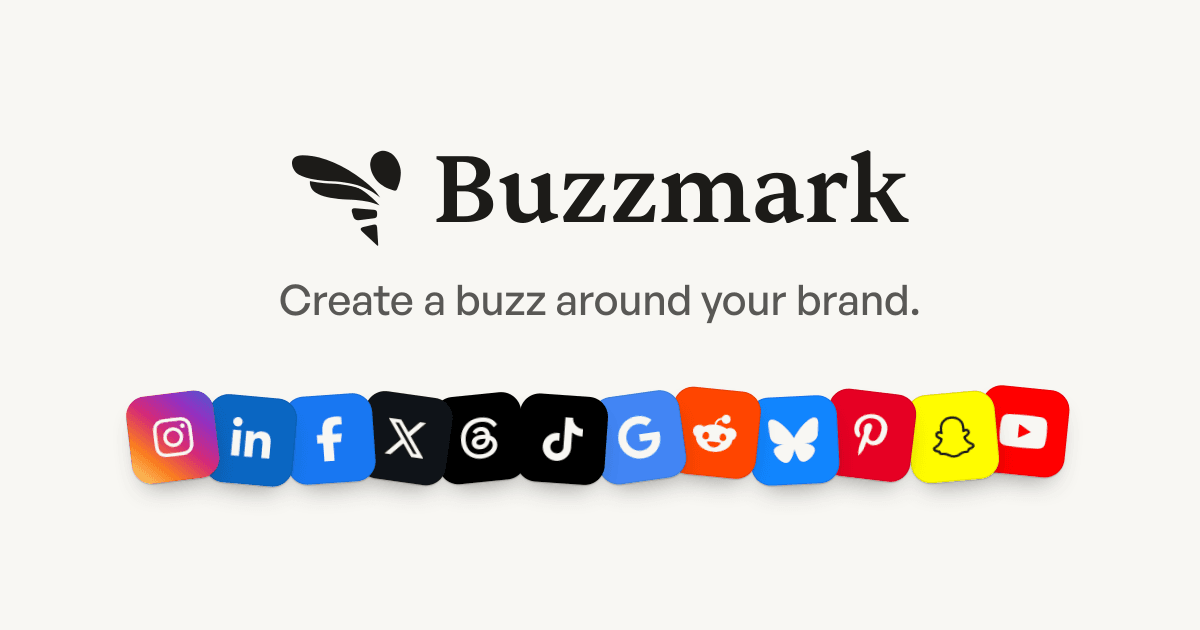
At the time of writing, Buzzmark publishes to:
- X
- Threads
- TikTok
- Google Business Profile
Reddit, Bluesky, Pinterest, Snapchat and YouTube are listed as coming soon. Instagram and Threads need a Business or Creator account.
Buzzmark writes in 9 languages: English, Swedish, Norwegian, Danish, Finnish, German, French, Spanish and Dutch. Each brand has one main language and can post in up to two more, so a brand can publish in 3 languages at most.
Using Buzzmark Inside Claude, ChatGPT and Other AI Apps
Buzzmark has an MCP server, so you can use it from AI apps that support the Model Context Protocol. Officially supported apps include Claude (and Claude Code), ChatGPT, Grok, Cursor and OpenClaw, and any other MCP app can connect. For apps that can't sign in, Buzzmark offers API keys.
Once connected, you can ask your AI app to write posts for your platforms, save them as drafts, plan a week around your best posting times, make an image for a post or show how recent posts performed. The AI app only sees the brands, accounts and posts in the Buzzmark account you sign in with.
There is one deliberate safety limit: AI apps can't publish on the spot. They can save a draft or schedule a post at least 5 minutes ahead, and every scheduled post appears on your Buzzmark calendar, where you can change or remove it before it goes out. The MCP connection is limited to 30 calls per minute and 1,000 calls per day per account.
How Buzzmark Works
Getting started takes five steps:
- Sign up with an email code and choose whether you post for yourself, your business or clients.
- Pick a plan and add a card to start the 7-day trial.
- Build your Hive from your website, then review the voice, colours, fonts and context it found.
- Connect your social accounts through each platform's own sign-in.
- Schedule your first post. Scheduled posts can be edited until 2 minutes before they go out.
From there, the routine is simple: Buzzmark drafts a week of posts, you review and approve them, they go out at your best times, and the results feed into the next round of drafts.
Use Cases
Founders Building a Personal Presence
A founder who wants to post regularly on LinkedIn can use the personal Hive to get first-person drafts that still describe the product correctly, then plan the week in one sitting instead of writing something new every day.
Small Businesses Without a Social Media Manager
Design studios, clinics, trades businesses and founder-run shops often have no one whose job is social media. Buzzmark can learn the business from its website and keep a steady posting schedule running across several platforms, with the owner approving posts rather than writing them.
Agencies and Freelancers Managing Several Brands
The higher plans support multiple brands, team seats, approvals, client review links and reports, and the Agency plan adds a client portal and white label. Each brand keeps its own Hive, which helps when you write for clients with very different voices.
Teams That Already Work in AI Apps
If your team already spends the day in Claude, ChatGPT or Cursor, the MCP server lets you plan and draft posts from there while scheduling still goes through the Buzzmark calendar. If you're comparing approaches, our article on Unposed and social media automation covers a different take on the same job.
Buzzmark Pricing
Buzzmark has four paid plans. Prices below are in US dollars and exclude VAT; inside the EU, plans are priced in euros.
| Plan | Monthly price | Brands | Channels | Buzz per month | AI images per month |
|---|---|---|---|---|---|
| Growth | $29 | 1 | 5 | 75 | 20 |
| Reach | $36.75 for 12 months, then $49 | 3 | 20 | 300 | 100 |
| Scale | $74.25 for 12 months, then $99 | 10 | 50 | 600 | 200 |
| Agency | $224.25 for 12 months, then $299 | 25 | 125 | 1,500 | 500 |
A few details worth knowing:
- Launch prices on Reach, Scale and Agency apply to the first 100 subscriptions or until January 5, 2027, whichever comes first. Growth has no launch price.
- Yearly billing charges ten months and gives you twelve. For example, Reach is $294 for the first year at the launch price, then $490 a year.
- Every plan includes unlimited posts, Hive checks, analytics, the calendar, auto-repost on X, multiple accounts per platform and MCP access within the plan's limits. Plans differ in brands, channels, seats and monthly allowances such as Buzz, AI images, Scout runs and Hive checks.
- Free trial: every plan starts with a 7-day trial. A card is required, and cancelling before day 8 means you aren't charged.
- No free plan is offered.
Pricing can change, so check the current plans on Buzzmark's website before you subscribe.
Who Should Use Buzzmark?
Buzzmark is a good fit for:
- Founders who want a consistent personal and company presence without writing every post themselves.
- Small businesses that need regular posts across several platforms and have a website that describes them well.
- Agencies and freelancers who manage several client brands and need separate voices, approvals and client reports.
- People who already work in AI apps and want to draft and schedule posts from Claude, ChatGPT or Cursor.
It's less suited to creators whose content is mainly video, since Buzzmark doesn't generate video, or to anyone looking for a free scheduler.
Advantages and Limitations
Advantages
- Voice comes from your business, not from a generic prompt, and every draft is scored against it.
- A separate founder voice is included on every plan.
- You stay in control of what the tool learns: it asks before keeping a rule.
- Posting times are based on your own audience's history.
- The MCP server can't publish on the spot, so anything an AI app schedules can still be reviewed on the calendar.
- Wide feature set on one calendar: carousels, research, images, first comments and analytics.
Limitations
- No free plan, and the 7-day trial needs a card.
- No video generation.
- Several platforms are still coming soon, including Reddit, Bluesky, Pinterest, Snapchat and YouTube.
- 9 supported languages, mostly European, with up to 3 per brand.
- Instagram and Threads need Business or Creator accounts.
- The Engage inbox is limited to the Scale and Agency plans.
Final Verdict: Is Buzzmark Worth It?
Buzzmark is a well-thought-out AI social media ghostwriter for people who care about sounding like themselves. Learning the voice from your website, scoring every draft against it and asking before it keeps new rules makes it feel more like a careful assistant than a content generator. The separate founder voice and the MCP support are useful extras, and the rule that AI apps can only draft or schedule, never post instantly, is a sensible safeguard.
It costs more than basic schedulers and has no free plan, but the 7-day trial is enough to see whether its drafts sound like you. If you post across several platforms and want to spend less time writing, it's worth trying. Visit the official Buzzmark website to start a trial and build your first Hive.
Frequently Asked Questions
What is Buzzmark?
Buzzmark is an AI social media ghostwriter. It learns your brand voice from your website, writes and plans posts in that voice, and schedules them for the times your audience is most active.
Does Buzzmark have a free plan?
No. Buzzmark offers a 7-day free trial on every plan, which needs a card. If you cancel before day 8, you aren't charged. Paid plans start at $29 a month.
Which social media platforms does Buzzmark support?
It currently publishes to Instagram, LinkedIn, Facebook, X, Threads, TikTok and Google Business Profile. Reddit, Bluesky, Pinterest, Snapchat and YouTube are listed as coming soon.
Can Buzzmark post automatically from ChatGPT or Claude?
Not instantly. Through MCP, an AI app can save drafts or schedule posts at least 5 minutes ahead. Scheduled posts appear on your Buzzmark calendar, where you can edit or remove them before they go out.
Can Buzzmark write as a founder and as the company?
Yes. Every plan includes a personal Hive, a first-person founder voice that sits alongside the company voice and uses the company's product facts.
Which languages does Buzzmark write in?
English, Swedish, Norwegian, Danish, Finnish, German, French, Spanish and Dutch. Each brand can post in up to 3 of them.