Task Management
uboord: Smart Task Management and Workload Tracking for Teams
Discover uboord, a smart task management platform for tracking workload, capacity, deadlines, ownership and delivery across teams.
CodeHype6 min read
Managing work across a team can become complicated quickly.
Tasks live in different places. Deadlines get missed. Some employees quietly take on too much work while others have available capacity. Managers often discover problems during delivery meetings instead of seeing them early.
uboord | Free Project Management Tool for Tasks, Workload & Workflow is a task management and workload tracking platform designed to make those problems visible.
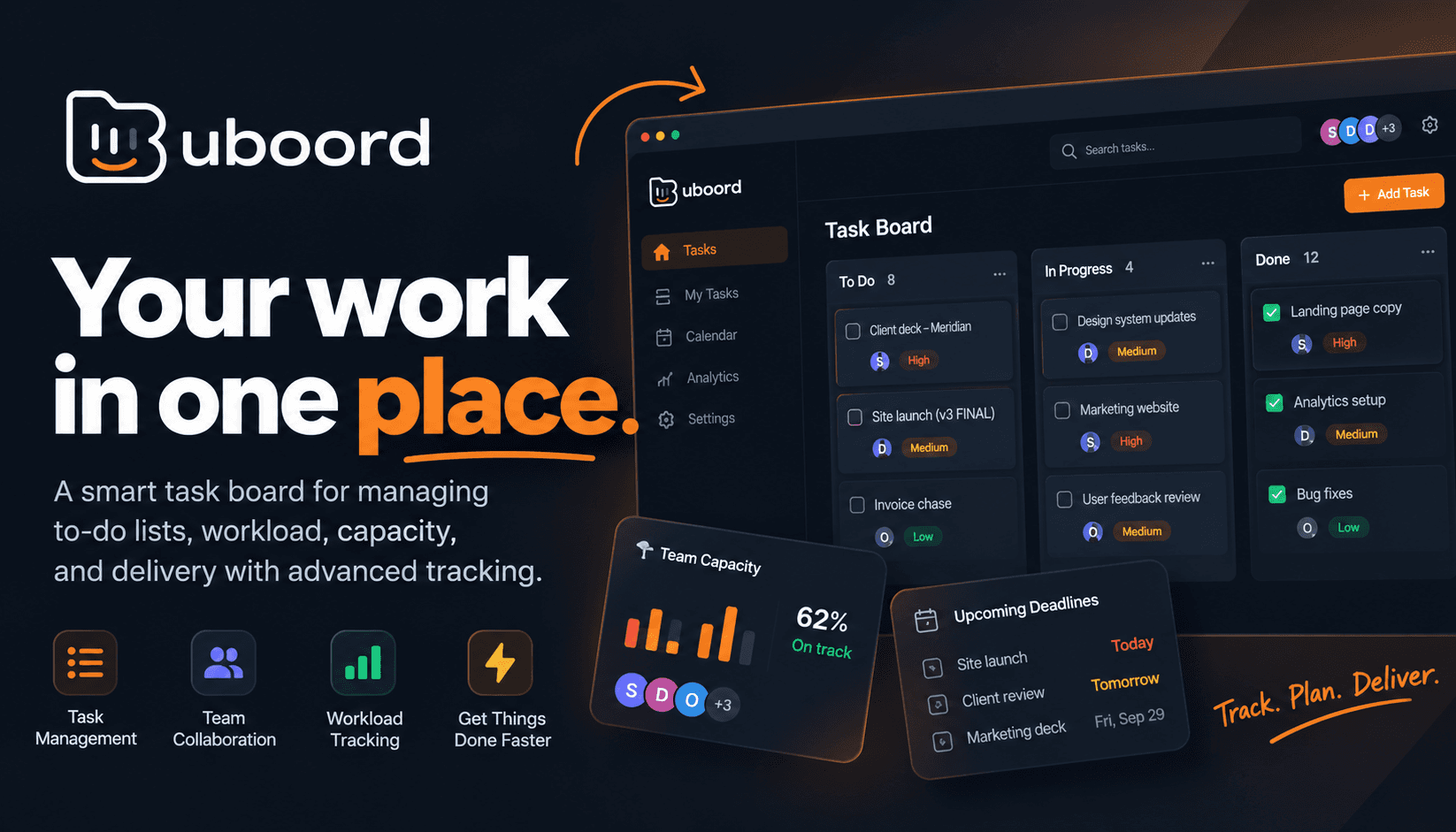
It combines taskboards, workload measurement, capacity planning, deadline tracking, approvals, notifications and activity logs in one workspace.
The goal is straightforward: help teams understand what needs to be done, who owns it, how much capacity is available and where delivery is at risk.
What Is uboord?
uboord is a task management platform for individuals and teams.
At its simplest, it works as a taskboard where every task has an owner, delivery date, priority and status.
For teams, it adds a workload engine that measures assignments using factors such as task size, priority, deadlines, capacity and overlapping work.
This allows managers to see workload as a measurable figure rather than relying on assumptions or asking employees how busy they are.
Individuals can use uboord for free, while teams can access additional management and collaboration capabilities through paid plans.
The Four Core Principles Behind uboord
uboord is built around four main areas:
Fair Workload
Workload is measured using multiple factors instead of simply counting the number of tasks assigned to someone.
The platform considers volume, duration, priority and overlap when calculating workload.
This can help identify when someone is carrying too much work and which task could potentially be moved.
Private boards can also be kept separate from company workload calculations.
Smart Tracking
Each task has its own progress, deadline and status.
Tasks move through stages from new to archived, while colors indicate their current health.
This makes it easier to see overdue, at-risk or paused work without opening every individual task.
Clear Ownership
Every task has an owner.
Tasks can be assigned, reassigned and approved, with actions recorded in an activity log.
This creates a visible trail of who handled a task and what happened throughout its lifecycle.
Easy Management
Different users see different levels of information based on their roles.
Admins can manage departments, heads can manage delivery and employees can focus on their own assigned work.
Boards can also be organized by month, while reports can be filtered by different criteria.
Manage Tasks With Monthly and Yearly Boards
uboord provides taskboards designed around monthly and yearly planning.
Teams can create custom columns and organize their boards according to their own workflows.
The platform also allows users to control how many columns appear on each row and whether boards run vertically or horizontally.
This gives teams more flexibility when organizing large amounts of work.
For personal users, the same concept can be used to manage individual tasks and capacity.
Workload Management and Capacity Planning
One of the main features that separates uboord from a basic task tracker is its workload engine.
Instead of simply showing how many tasks someone has, uboord calculates workload using multiple factors.
These include:
- Task size
- Priority
- Deadlines
- Capacity
- Timeline overlap
Overlapping tasks are also taken into account.
Two tasks running during the same period can create more workload pressure than two tasks completed sequentially.
The platform converts these factors into a workload percentage, giving teams a clearer view of capacity.
For example, the product demonstrates a scenario where one team member is at 118% workload while another is at 41%. Moving a task can then bring both people closer to their available capacity.
Identify Overloaded Team Members Earlier
Workload problems are often difficult to see until deadlines are approaching.
A team member may continue accepting urgent tasks without making the overall workload obvious to everyone else.
uboord is designed to surface these situations earlier.
Overload warnings can notify managers when someone is exceeding their capacity.
This gives teams an opportunity to reassign work before an overloaded schedule turns into missed deadlines.
Track Deadlines in Real Time
Each uboord task includes a live countdown, progress indicator and health status.
Instead of relying on someone to manually update a status report, the task itself provides information about its current state.
A task can show situations such as:
- Several days remaining
- Due today
- Overdue
- Paused
- At risk
This creates a visual way to monitor delivery across a board.
For managers handling many tasks at once, that can make it easier to identify where attention is needed.
Clear Approval Workflows
uboord also includes an approval workflow.
A typical task lifecycle can involve:
- Employee completes the task
- Head reviews the work
- Head approves it
- The record becomes locked
- The task is eventually archived
This provides a defined path from completion to approval.
Instead of approvals being handled separately through email or chat, they can happen directly around the task.
Activity Logs and Accountability
Every action is recorded in an activity log.
This provides a history of changes made to tasks and helps answer questions such as:
- Who completed the work?
- Who reassigned it?
- What changed?
- When was it approved?
- Where did a delay occur?
The Enterprise offering includes an immutable activity log and approval system.
For organizations where accountability and delivery history matter, having this information attached to the work can make it easier to understand what happened.
Support Requests Without Blame
uboord treats support requests as planning signals.
When someone needs help with a task, they can request support rather than allowing the work to quietly become overdue.
A head can then review the request, respond on the task and potentially reassign capacity.
This approach makes workload issues more visible while keeping them connected to the actual work.
Role-Based Visibility
Different users can have different responsibilities within uboord.
Admins govern departments and organization-level settings.
Heads of department manage delivery and their teams.
Employees focus on the work assigned to them.
This role-based structure is designed for organizations where not every person needs access to every task or department.
Enterprise plans also include organization-wide reporting and role-based visibility.
Reports for Team Performance
uboord provides reporting around delivery, workload and lateness.
Managers can use filters based on areas such as:
- Month
- Group
- Person
- Priority
Teams can also compare departments or time periods using the same measurement system.
This can make it easier to identify patterns rather than relying only on individual task updates.
Notifications Before Problems Become Bigger
uboord includes notifications for situations that may require attention.
These include:
- Overload warnings
- Stalled tasks
- Support requests
- Upcoming deadlines
The idea is to surface information while there is still time to act.
For example, identifying an overloaded team member before a deadline can create an opportunity to move work to someone with available capacity.
Who Is uboord For?
uboord can be used by individuals who want a structured taskboard as well as teams managing shared workloads.
For individuals, the platform provides personal taskboards, capacity information and delivery dates.
For startups and small teams, the Startup plan supports up to 10 members, with shared task storage, monthly taskboards, approval workflows, capacity planning and support requests.
For larger organizations, the Enterprise plan adds departments, heads of department, organization-wide reporting and role-based visibility.
uboord Pricing
uboord uses a freemium model with three main options.
Individual
The Individual plan is free forever.
It includes:
- Personal taskboards
- Monthly and yearly planning
- Personal capacity tracking
- 100 MB of task file storage
- No credit card requirement
Startup
The Startup plan costs $200 per month, with annual billing available at a discount.
It supports up to 10 members excluding the account owner and includes 3 GB of shared task file storage.
Features include capacity planning, approval workflows, support requests, monthly taskboards and delivery tracking.
Enterprise
Enterprise starts at $2,000 per month and includes up to 30 members initially, with additional slots available.
It includes:
- Unlimited departments
- Heads of department
- Organization-wide capacity reporting
- Utilization reporting
- Delivery reporting
- Role-based visibility
- Immutable activity logs
- Approval workflows
- Expanded file storage
Pricing and plan details can change, so users should check the current uboord website before purchasing.
Final Thoughts
uboord brings task tracking and workload management into the same system.
Instead of using one tool for tasks, another for workload planning and separate processes for approvals and accountability, uboord combines these workflows around the taskboard.
Its key capabilities include workload measurement, capacity planning, deadline tracking, task ownership, approval workflows, activity logs, notifications and role-based management.
For teams that need a clearer view of who is doing what, where deadlines stand and where workload is becoming unbalanced, uboord | Free Project Management Tool for Tasks, Workload & Workflow provides a centralized way to manage that information.
The platform is also available for individual users through its free plan, making it possible to start with personal task management before moving into team workflows.
Frequently Asked Questions
What is uboord?
uboord is task management software that combines taskboards, workload tracking, capacity planning, deadline monitoring and delivery management.
How does uboord measure workload?
uboord measures workload using factors including task size, priority, deadlines, capacity and timeline overlap.
Can uboord identify overloaded employees?
Yes. The workload engine calculates workload percentages and can provide overload warnings when capacity is exceeded.
Does uboord track deadlines?
Yes. Tasks include live countdowns, progress indicators and status information to make approaching and missed deadlines visible.
Does uboord support task approvals?
Yes. Tasks can move through a workflow where employees complete work and department heads review and approve it.
Does uboord have an activity log?
Yes. Actions on tasks are recorded in an activity log. The Enterprise plan includes an immutable activity log.
Can teams create custom taskboards?
Yes. uboord supports monthly and yearly taskboards with customizable columns.
Does uboord support different user roles?
Yes. Admins, department heads and employees can have different levels of access and responsibility.
Is uboord free?
Yes. The Individual plan is free forever. Paid Startup and Enterprise plans provide additional team and management features.
How many members does the Startup plan support?
The Startup plan supports up to 10 members, excluding the account owner.
What is uboord used for?
uboord can be used for personal task management, team workload planning, deadline tracking, task accountability, approvals and delivery management.
Does uboord provide workload capacity planning?
Yes. Capacity planning is a core part of the platform, with workload calculated from multiple factors including task priority, deadlines and overlapping work.