Business Tools
KaraDesk Review: AI Customer Support With a Shared Inbox
KaraDesk is a customer support platform where Kara, an AI agent, answers from your help center and hands the rest to your team in a shared inbox.
CodeHype8 min read
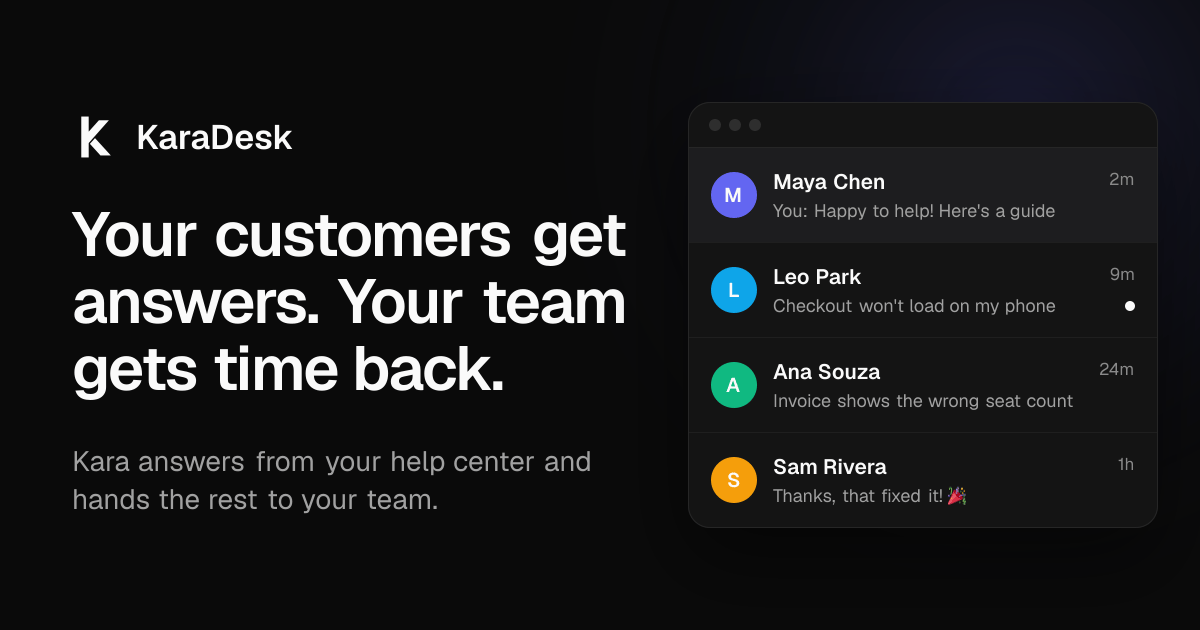
Small support teams face the same questions every day: how to invite a teammate, why a page will not load, why an invoice shows the wrong number. Answering each one by hand eats time, but a chatbot that guesses or refuses to hand over to a person frustrates customers even more.
KaraDesk is AI customer support software that tries to balance both. Its AI agent, Kara, answers customers from your own help center, and when a person is needed, it hands the conversation to your team with the context attached. You can learn more about KaraDesk on its official website, where every plan starts with a free trial.
This review covers what KaraDesk includes, how Kara works, how the plans compare and who the product suits.
What Is KaraDesk?
KaraDesk is a customer support platform that combines an AI agent with the core tools of a help desk: a shared inbox, live chat, help centers and visual flows, all in one workspace. Pricing starts at $10 a month. It is listed on CodeHype as KaraDesk in the SaaS category.
The idea is that conversations, help center content and customer context live in one place, so both the AI and your team can answer faster and better.
Key Features
Kara, the AI Agent
Kara answers customers around the clock using the articles in your help center. When it answers, it cites the articles it used, which makes its responses easier to verify. As soon as a person is needed, Kara hands off to your team. Every plan includes a monthly number of AI resolutions.
AI Help for Your Team
Kara also assists agents directly. You can draft a reply with Kara in one click, then edit and send it. When you merge conversations, Kara leaves a summary so the context carries over.
Shared Inbox
Conversations from your channels land in a shared team inbox. Higher plans add multiple inboxes, saved replies and more users.
Live Chat and Email
KaraDesk includes a messenger for live chat on your site and an email inbox, so both channels are handled in the same workspace.
Help Centers
You can publish help centers for your customers. The number of help centers and whether they can be private depends on your plan. Your help center is also the knowledge source Kara answers from.
Flows on a Visual Canvas
Flows let you build chat flows on a visual canvas, for example to route conversations or collect information before a person steps in. Flows are included from the Team plan upwards.
How KaraDesk Works
- Set up your help center: write or import the articles that answer common questions.
- Add the messenger: install live chat on your site and connect your email inbox.
- Let Kara answer: Kara replies to customers from your help center articles and cites its sources.
- Hand off to your team: when a person is needed, the conversation moves to your shared inbox with its context.
- Work faster as a team: draft replies with Kara, merge conversations with summaries, and automate routing with flows.
Use Cases
Solo Founders
A founder handling support alone can let Kara answer routine questions from a single public help center and only step in when needed.
Growing Support Teams
Teams that need several inboxes, private help centers and chat flows can use the Team plan, adding full users as they grow.
Established Support Operations
Larger teams can use the Advanced plan for more included users, unlimited help centers and a higher number of AI resolutions.
KaraDesk Pricing
Every plan starts with a 14-day free trial with no card needed. The prices below were listed on the KaraDesk pricing page at the time of writing.
| Plan | Price | Included |
|---|---|---|
| Basic | $10/month | 1 full user, 1 public help center, messenger and email inbox, 50 Kara AI resolutions a month |
| Team | $35/month, plus $5/month per extra full user | 1 full user and 10 lite users, 2 public or private help centers, flows, multiple inboxes, 250 AI resolutions a month, KaraDesk branding removed |
| Advanced | $100/month, plus $5/month per extra full user | Everything in Team, 5 full users and unlimited lite users, unlimited help centers, 1,000 AI resolutions a month |
Every plan includes unlimited customers and conversations. Additional AI resolutions are listed at $0.49 each. Check the official pricing page for current details.
Who Should Use KaraDesk?
- Startups and SaaS companies that want AI-assisted support without an enterprise help desk price
- Solo founders who need a help center, live chat and an AI agent from day one
- Small and mid-sized support teams that want a shared inbox with AI drafting and summaries
Advantages and Limitations
Advantages
- AI agent that answers from your own help center and cites its sources
- Clear handoff to humans with context
- Shared inbox, live chat, email, help centers and flows in one product
- Low entry price with a 14-day free trial and no card required
- Unlimited customers and conversations on every plan
Limitations
- Kara's answers depend on the quality and coverage of your help center articles
- AI resolutions are capped per plan, with a per-resolution charge beyond the allowance
- Flows, multiple inboxes and private help centers require the Team plan or higher
Final Verdict
KaraDesk packs the essentials of a modern help desk, a shared inbox, live chat, help centers and visual flows, into one product, and puts an AI agent on top that answers from your own documentation and knows when to hand off. The transparent, low starting price and the free trial make it easy to test with real customers.
If your team spends too much time on repetitive questions, KaraDesk is worth a trial. Visit the official KaraDesk website to start a free trial, or compare more SaaS tools on CodeHype.
Frequently Asked Questions
What does Kara, the AI agent, do?
Kara answers customer questions using the articles in your help center, cites the articles it used and hands the conversation to your team when a person is needed.
Is there a free trial?
Yes. Every KaraDesk plan starts with a 14-day free trial, and no card is needed to start.
How much does KaraDesk cost?
Plans start at $10 a month for Basic, with Team at $35 a month and Advanced at $100 a month. Team and Advanced charge $5 a month per extra full user.
What happens when the included AI resolutions run out?
Additional AI resolutions are listed at $0.49 each on the pricing page.
Does KaraDesk limit customers or conversations?
No. Every plan includes unlimited customers and conversations.